Apple Watch Zone 2 Cardio Uses Resting Heart Rate – Your App May Not
By default, Apple Watch sets zone 2 with Heart Rate Reserve, a formula that uses your max and resting heart rate, while the Zone 2 app uses 60-70% of max. To match the app, switch to Manual: at age 40, with an estimated max of 180, that band is 108-126 beats per minute.
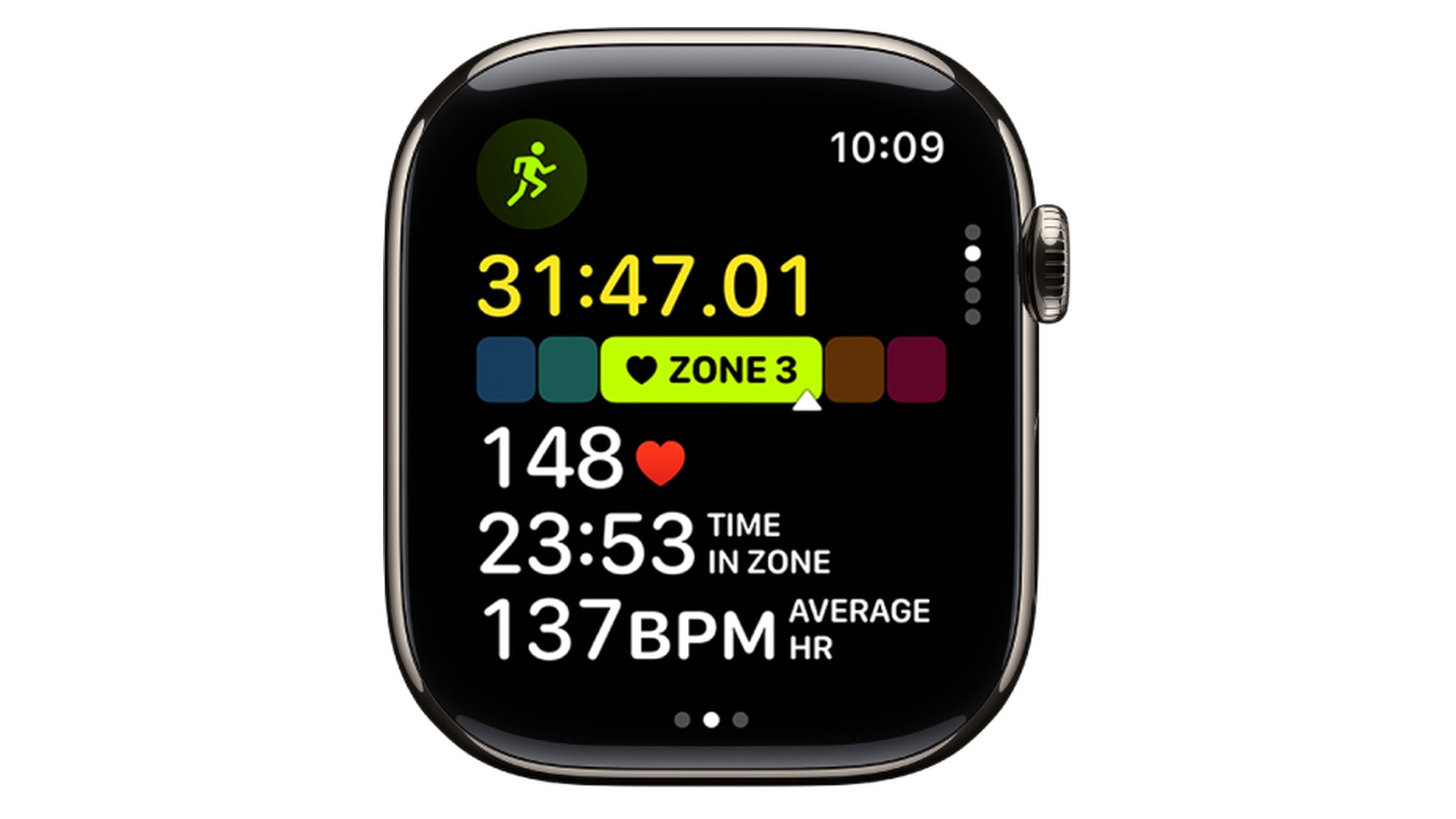
Your Apple Watch and your zone 2 cardio app can read the same heart rate and still name different zones. The watch works from your maximum heart rate (the fastest your heart can beat) and your resting heart rate, per Urban Athletic Club. The app may use your max alone.
One setting brings them closer: Settings > Workout > Heart Rate Zones > Manual, on the watch. Then enter 60-70% of your max in beats per minute (bpm). It works only if that max is close to your real one.
Stop signs: The National Institute on Aging (NIA) says aerobic activity should not cause dizziness, chest pain or pressure, or nausea. If it does, stop exercising. No zone reading outranks those signals.
Sources Disagree on Zone 2 Because They Use Different Formulas
Zone 2 is the second-easiest band of effort. Apple Support says Apple Watch shows heart rate zones in five segments, from easier to harder effort.
Apps and writers often define it another way. The Zone 2 app’s listing puts zone 2 at about 60-70% of maximum heart rate. Lifehacker’s Beth Skwarecki reports that an Apple Watch set to keep a run in zone 2 targeted 60% to 70% of max.
That does not match Apple’s default formula, and no source here says why. Check your watch’s setting before you trust its zone 2 label.
The Zones for Training app uses four zones instead of Apple’s five: Warm Up, Fat Burn, Cardio and Peak. It has no zone 2. Its nearest band is Fat Burn, which the listing describes as “for longer exercise.”
Switch to Manual and Enter 60-70% of Max to Match Your App
Urban Athletic Club gives the path:
- Open Settings on the watch.
- Choose Workout.
- Choose Heart Rate Zones.
- Switch to Manual.
- Enter zone 2’s limits in bpm: 60% and 70% of your max, the Zone 2 app’s rule, worked out in the table below.
If you don’t know your max, Livity and Urban Athletic Club both estimate it as 220 minus your age. Livity’s maxes come from that formula: 180 at age 40, 170 at 50. The table takes 60% and 70% of each estimate.
| Age | Est. max (220 - age) | Zone 2 bpm (60-70%) | 70% ceiling if max is 10 bpm off |
|---|---|---|---|
| 40 | 180 | 108-126 | 119-133 |
| 45 | 175 | 105-122.5 | 115.5-129.5 |
| 50 | 170 | 102-119 | 112-126 |
| 55 | 165 | 99-115.5 | 108.5-122.5 |
| 60 | 160 | 96-112 | 105-119 |
| 65 | 155 | 93-108.5 | 101.5-115.5 |
Manual only helps if the max is right. Livity notes your real max can differ from the estimate by 10-20 bpm. A 10 bpm error moves the 70% ceiling 7 bpm (10 x 0.7). A 20 bpm error moves it 14 bpm.
Apple Watch Defaults to Heart Rate Reserve, Updated Monthly
Out of the box, Apple Watch uses the Heart Rate Reserve method. That formula uses both your maximum and resting heart rate, and the watch updates both numbers monthly, per Urban Athletic Club. The upside: your zones follow your resting rate as it changes.
Because the formula adds your resting rate, the default zone 2 can land on different bpm than 60-70% of max.
The weak spot is the max estimate. Livity says the automatic calculation tends to set max too low for fit people and too high for less active people. If you train often and easy runs keep showing as hard, the estimate may be low. If you are just starting and hard efforts show as easy, it may be high.
Only Apple’s Default Zone 2 Rule Uses Resting Heart Rate
If your watch and app disagree about the same heart rate, find each one’s row below. Compare bpm, not zone numbers.
| Source | Zones | Zone 2 rule | Inputs | When to switch Apple to Manual |
|---|---|---|---|---|
| Apple Watch default (Apple Support, Urban Athletic Club) | 5 | Heart Rate Reserve | Max and resting heart rate, updated monthly | When its max estimate looks wrong for your fitness |
| Zone 2 app listing | Not stated | About 60-70% of max | Max heart rate | To match this app: set zone 2 to 60-70% of your max |
| Lifehacker, Skwarecki’s runs | 5 (Apple Watch) | 60% to 70% of max, as the watch targeted | Max heart rate | Check which mode your watch uses; the gap with the default is not explained |
| Zones for Training | 4; PRO lists “Create Custom Workouts (5 Zones)” | No zone 2; nearest band is Fat Burn | Not stated | PRO lists “Change Heart Rate Zones”; compare bpm ranges first |
The same formula still needs the same input. If the watch and app start from different max numbers, 60-70% gives two different bands.
Turn the Digital Crown to See Your Zone Mid-Workout
Apple Support gives two steps to see your live zone:
- Start a cardio workout in the Workout app.
- Turn the Digital Crown (the dial on the side of the watch) to the Heart Rate Zone view.
Start at an easy pace. If the zone climbs past 2, slow down until it settles.
Wrist Readings Lag on Bikes and Weights; a Chest Strap Reads Truer
Livity says the wrist sensor lags when heart rate changes quickly. It can also misread during cycling, lifting or any activity with a bent wrist. For more accurate zone 2 numbers, Livity suggests pairing a Bluetooth chest strap such as the Polar H10 or Wahoo TICKR.
Lifehacker’s Skwarecki also writes that chest straps are more accurate, and that “even a $30 one can do an excellent job” (Apr 25, 2026).
A strap reads more accurately where the wrist lags or misreads, but it does not fix the zone limits. A wrong max gives wrong zones on either sensor.
Apps That Read Apple Health Count Your Weekly Zone 2 Minutes
The NIA says aerobic activity raises your breathing and heart rate. Its guidance for older adults is to build up gradually to at least 150 minutes a week of moderate-intensity aerobic activity.
The Zone 2 app’s listing makes its own, narrower claim. It recommends 150 or more minutes a week in zone 2 itself, and says the right amount varies with fitness level.
To count those minutes, Zone 2 Plus needs an Apple Watch or another tracker. That tracker has to sync workout, heart rate and VO2 max data (a measure of aerobic fitness) to Apple Health. Zones for Training has no zone 2, so its Fat Burn total may not equal Apple’s zone 2 minutes.
Not everyone sticks to pure zone 2. Skwarecki’s view is that a mix of zones 2 and 3 suits steady cardio better. That is a writer’s opinion, not a study.
Verdict: Apple’s Default Zones Only Fit You If Its Max Estimate Does
- Verdict: Apple Watch’s built-in zones are a workable zone 2 guide for a reader over 40, if its max estimate fits you.
- The flaw, and its fix: Livity says the automatic max runs low for fit people and high for less active people. The fix is Manual, set from a max you trust.
- Strengths: five zones you can read mid-workout with the Digital Crown, and max and resting rates that refresh monthly.
- Who should skip the wrist reading: cyclists and lifters, who should pair a chest strap such as the Polar H10 or Wahoo TICKR. Per Lifehacker, “even a $30 one can do an excellent job.”
See also: what zone 2 cardio heart rate is over 40.
Next step: Once your zones line up, read how much zone 2 cardio per week over 40, building to 150 minutes.
Related reading: Zone 2 Cardio Treadmill Settings.
FAQ: Your Zone 2 Starts From Your Max
How Do I Find My Zone 2?
Multiply your max heart rate by 0.6 and 0.7. If you don’t know your max, start from 220 minus your age, per Urban Athletic Club. The table in the Manual section runs the numbers for ages 40 to 65.
How Do I Calculate My Heart Rate in Zone 2?
It depends on the method. The 60-70% rule works from your max alone. Heart Rate Reserve, Apple’s default, works from the gap between your max and resting rate, per Lifehacker, so it gives different bpm.
How Do I Do Zone 2 Cardio?
Pick a steady activity, start a cardio workout and keep the zone view on 2. Begin with short, easy sessions and build up gradually to at least 150 minutes a week, as the NIA advises.
Not medical advice. Check with a clinician before starting zone 2 training if you have a health condition or are new to exercise. Check again if any of the NIA stop signs above appear, or if your watch’s numbers and how you feel keep disagreeing.
Sources
- https://support.apple.com/guide/watch/view-heart-rate-zones-apd897dccddf/watchos
- https://urbanathletic.club/live-better/heart-rate-zones/
- https://apps.apple.com/us/app/zone-2-heart-rate-training/id6444690892
- https://au.lifehacker.com/fitness/12523/feature/nobody-can-agree-on-what-zone-2-cardio-is
- https://livity-app.com/en/blog/zone-2-cardio-apple-watch
- https://apps.apple.com/us/app/zone-2-plus-cardio-fitness/id6472242919?l=pt-BR
- https://apps.apple.com/us/app/zones-for-training/id1139688415
- https://www.nia.nih.gov/health/exercise-and-physical-activity/four-types-exercise-can-improve-your-health-and-physical